

Abbas Dhami
Specialist Diagnostic Radiographer
A lot of people get nervous before a scan, even when they try not to think about it too much. The appointment sits in the back of the mind all day. Some people worry about the results. Others just do not like medical environments or machines. Even simple thoughts like “What will happen when I get there?” can make someone feel uneasy before the appointment even starts.
Usually, people feel better once somebody explains things properly. Knowing the scan will be quick, painless, and straightforward can take away a lot of stress. That is one reason many patients find EOS imaging easier to go through compared to traditional scans. The process feels more open and less overwhelming, and patients stay standing naturally during the scan. At ScanAlign, making patients feel comfortable is treated as an important part of the experience, not something secondary to the imaging itself.
Why Scan Anxiety Happens Before Medical Imaging
Honestly, scan anxiety is far more common than people think. There is usually more than one thing feeding it. Maybe you are scared of what the scan might show, or you have had a rough experience with another scan in the past. The clinical room does not help. Neither does waiting for results. For some people, the worry kicks in the moment they book.
You will see this called medical scan anxiety or medical imaging anxiety. Same thing. It can show up before the scan, during it, or even after. The good news is that small things help. A proper walk-through. A calm room. Someone who actually listens. These matter more than most people realise.
Common Signs of Scan Anxiety
Scan anxiety does not look the same for everyone, but a few signs come up again and again:
- A racing heartbeat
- Sweaty or clammy palms
- Tight shoulders, neck, or back
- Trouble sleeping the night before
- Constant worry about what the scan might show
- Wanting to cancel or push the appointment back
Spotting these signs early gives you a chance to act. Even a short chat with your scan team can take the pressure right down.
Why Clear Information Helps Patients Feel Calmer
When you know what is coming, the nerves usually settle. Even a quick walk-through of the steps, the sounds, and the reason for the scan can help. Once you can picture the room in your head, your brain has less room to invent worst-case stories.
When you have got plain information, you have got more control. You can ask the questions you wanted to ask. You can plan your day. You walk in feeling ready, not caught off guard.
What Makes an EOS Scan Different for Anxious Patients
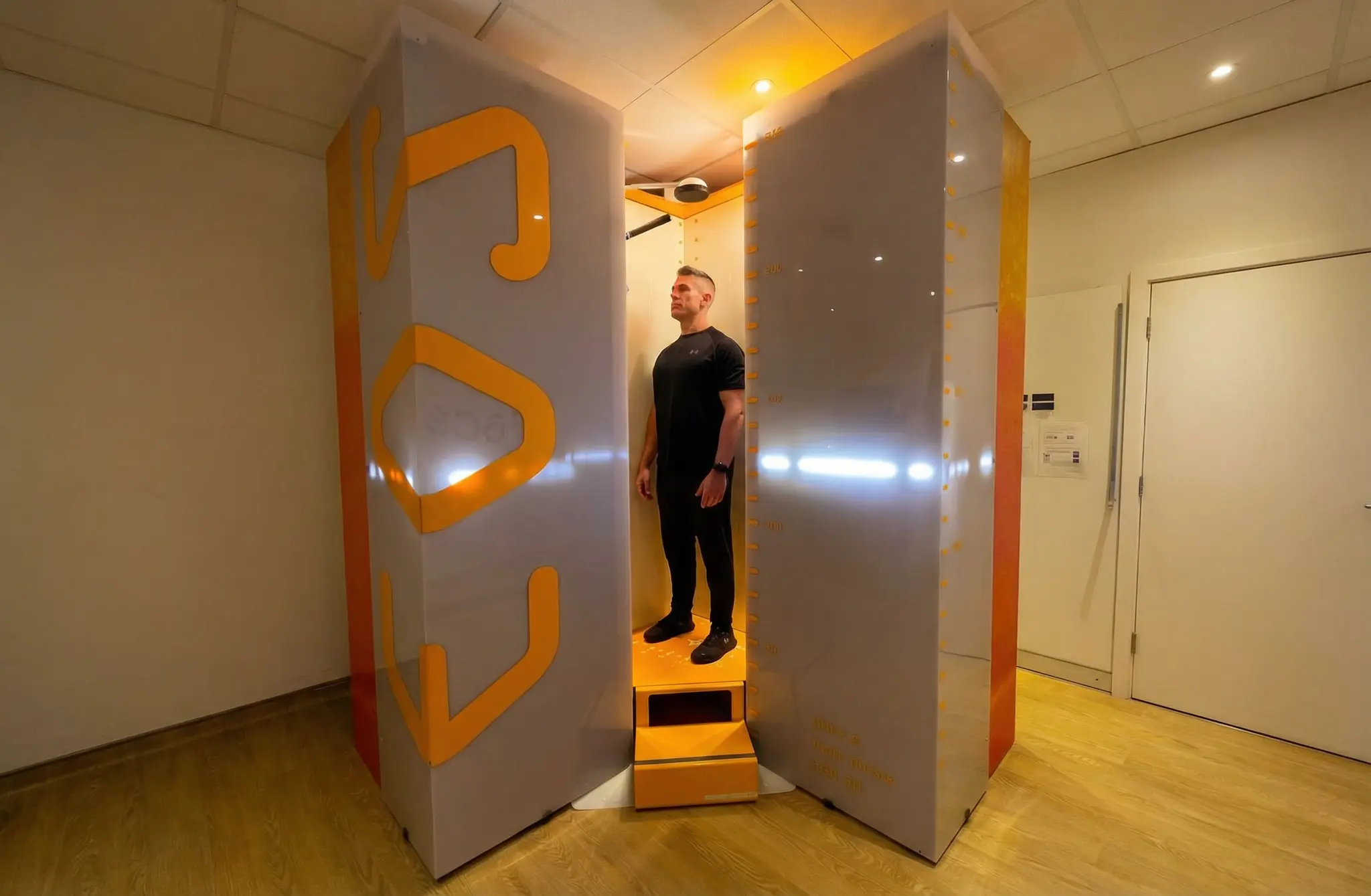
An EOS scan is not like a standard MRI or CT, and that is a good thing if you are nervous. No long tunnel. No lying still for thirty minutes. No injection or contrast dye for a standard EOS. You stand in an open space while the scanner takes images of your skeleton. If closed scanners make you feel boxed in, this one change makes a huge difference.
A Standing Scan Instead of a Lying-Down Scan
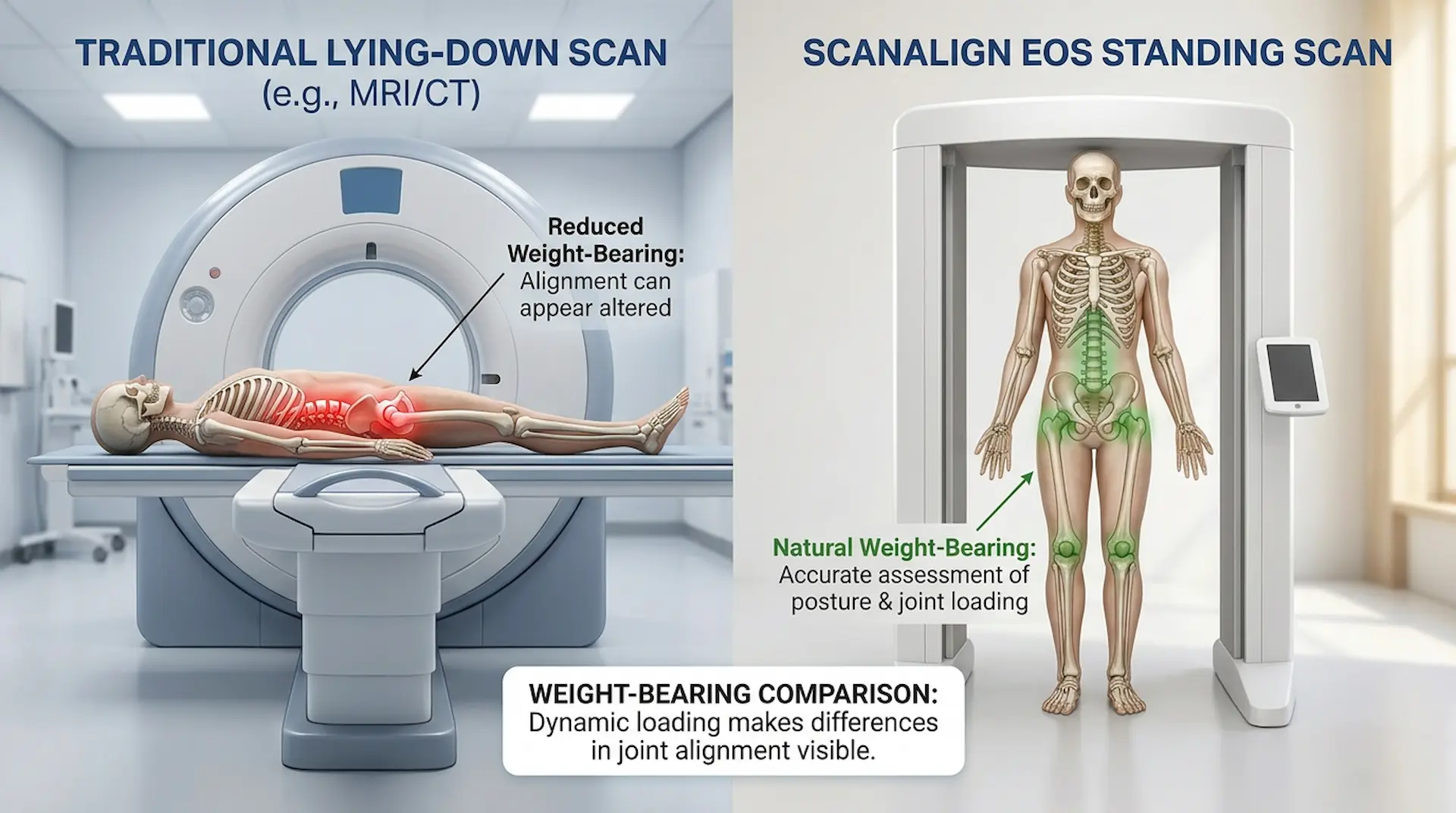
EOS scans your body while you are standing up. That matters more than people think. Gravity affects how your spine, hips, pelvis, and knees move every day. A lying-down scan can miss problems that only appear when your body is carrying its own weight. A standing scan, sometimes called a standing X-ray, catches posture and joint balance as they truly are.
ScanAlign’s guide on weight-bearing vs traditional imaging explains why standing scans can reveal alignment problems that may not appear clearly when the body is lying flat.
Low Radiation Can Reduce Patient Worry
Radiation is one of the biggest worries we hear about. Parents ask. People who have already had a few scans ask. People with kids who need monitoring really ask. EOS imaging was designed as a low-dose scan from day one. ScanAlign says the system can use up to around 90% less radiation than standard X-ray or CT comparisons, depending on what is being scanned. For most patients, that one fact takes a real weight off.
You can read more in ScanAlign’s guide on EOS scan safety and radiation levels.
Important Note: EOS imaging still uses a small amount of radiation. If you are pregnant or think you might be, please tell the ScanAlign team before booking, so they can guide you safely.
How Long Does an EOS Scan Take?
The scan is short. Really short. The imaging part takes about 15 to 30 seconds, and you are inside the scanner for around two minutes total. The full appointment is a bit longer because of check-in, prep, and a quick review afterwards. But the standing part? It is over before most people expect.
What Happens During an EOS Scan Appointment at ScanAlign
Here is what most patients want to know. Walking through the steps ahead of time is the easiest way to take the edge off. ScanAlign’s full guide on what happens during an EOS scan also explains the appointment process in more detail.
Step 1 — Free Video Consultation
Before you visit, you book a free video consultation with the ScanAlign team. No GP referral needed in most cases. You can self-refer and start the whole thing from home. On the call, you talk through your symptoms and ask whatever has been on your mind. And no, there is no pressure to book the scan afterwards.
Step 2 — Arriving for the Scan in London
ScanAlign offers EOS imaging at The Harley Street Hospital in London. Harley Street has been the home of private healthcare for years, so the area itself feels reassuring once you get there. When you arrive, the team greets you, checks your details, and explains what happens next. The whole thing feels personal. Not like a packed hospital department where you are just a number.
Step 3 — Preparing for the Scan
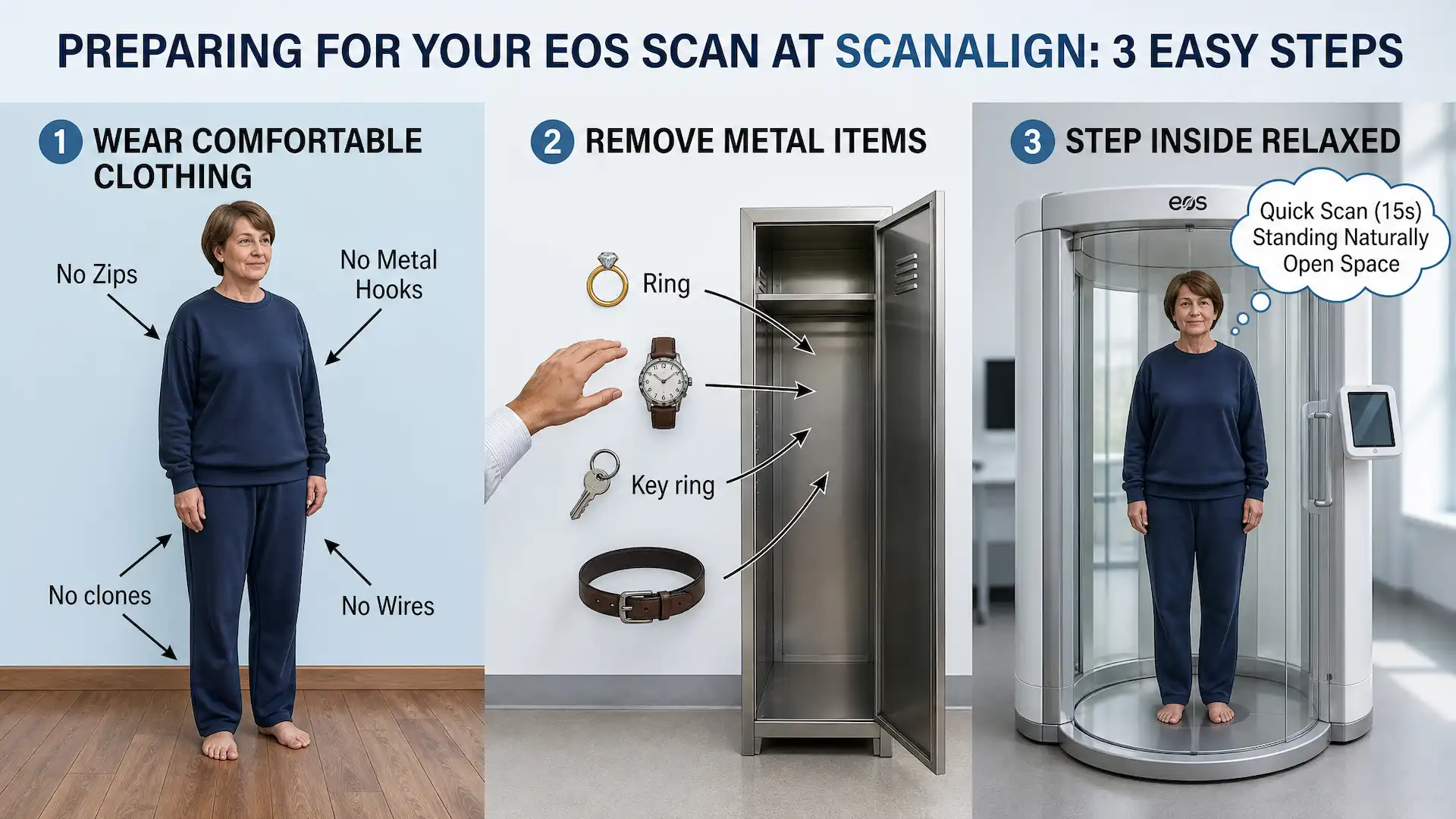
A bit of prep goes a long way. Most patients are asked to:
- Wear loose, comfortable clothing
- Avoid clothes with metal zips, hooks, or wires
- Take off jewellery, belts, and watches before the scan
- Leave heavy bags and metal items in a locker
- Ask any last questions before stepping inside
The team will tell you if you need to change into a gown. And if anything still feels unclear, just ask. That is what they are there for.
Step 4 — Standing Inside the EOS Scanner
You step into the open EOS scanner. No tunnel. Nothing closed in around you. Two thin scanning beams move quietly from your head down to your feet, taking front and side images at the same time. You stand still and breathe normally. Most people are surprised at how quick it is. It is over before you have time to overthink it.
Step 5 — Results, Report, and Doctor-Led Review
After the scan, your images go straight to a consultant radiologist for review. ScanAlign’s full package usually includes the EOS scan, the radiology report, and a doctor-led video call that walks you through the findings in plain language. So you are not left alone with a report trying to work out what it all means.
ScanAlign’s guide on what an EOS scan report shows explains the kind of alignment details patients may see after the scan.
Common Myths About EOS Scans That Make People Nervous
People walk in with all sorts of ideas about what an EOS scan will be like. Some come from old TV dramas. Some from a rough past experience with a different scan. Some from a quick Google rabbit hole. Clearing the myths up can take a real weight off before the appointment even starts.
Myth 1: You Get Stuck in a Tight Tunnel
This one is a holdover from MRI machines. EOS is completely different. The scanner is open on the sides, so you can see the room around you. You stand in an open frame and breathe normally. No tunnel. No closed space.
Myth 2: The Scan Takes a Long Time
An MRI can take 30 to 60 minutes. A CT scan, 10 to 20. EOS is not even close. The imaging itself is around 15 to 30 seconds, and you are only in the scanner for about two minutes.
Myth 3: EOS Imaging Uses a Lot of Radiation
This is one of the biggest fears patients carry into the clinic, and the opposite is true. An EOS scan is a low-dose EOS scan and can use up to 90% less radiation than a standard X-ray. That is the main reason it is chosen for children and for anyone who needs scans on a regular basis.
Myth 4: An EOS Scan Will Be Painful
No needles. No contrast dye. Nothing touches your skin during a standard EOS scan. You stand still while the scanner does its job. A lot of patients say it feels easier than getting their height measured at the GP.
How ScanAlign Can Make EOS Appointments Easier for Nervous Patients
A personalised patient experience is not just marketing fluff. It shapes how the whole appointment feels. Here is what the ScanAlign team does to help nervous patients stay calm:
- Clear communication before you arrive. You get details about timing, what to wear, how to prepare, and safety. Nothing feels like a surprise on the day.
- Real time to ask questions. Whether it is medical imaging anxiety, how to prepare for a scan, or what happens during a scan, the team listens. Questions do not get brushed off.
- Safety explained in plain language. “Is EOS scan safe?” comes up a lot. The team explains what a low-dose EOS scan or low-radiation scan actually means, and how the dose compares to other scans.
- Gentle support for parents and kids. Because EOS allows repeat monitoring with much less radiation than older methods, it is a kinder option for children, especially those being checked for scoliosis.
Practical Tips to Reduce Scan Anxiety Before Your EOS Appointment
A few small steps before your appointment can change how you feel walking in. Try a couple of these the day before and on the morning of the scan:
- Read up on the scan first. Knowing the basics, including the standing position, no tunnel, and short imaging time, takes most of the unknown out of the room.
- Jot your questions down. When the nerves hit, you forget what you wanted to ask. A note on your phone is enough.
- Slow your breathing. Try breathing in for 4 seconds, out for 6, for a few minutes before the scan. Small habit. Big difference.
- Bring someone with you if you can. A friend or family member nearby is a huge comfort. Just ring the clinic ahead and check.
- Tell the team you are nervous. They can slow down, explain again, and check in with you while you are in the scanner. They do not mind.
Who May Benefit Most from a Standing EOS Scan
EOS imaging tends to help most when your problem is tied to posture, alignment, or how your body holds its own weight. ScanAlign lists a few common reasons doctors suggest an EOS scan appointment.
| Concern | How EOS Imaging Helps |
|---|---|
| Scoliosis monitoring | Low-dose follow-up of spinal curves over time |
| Chronic back pain | Spine scan London for hidden alignment issues |
| Posture problems | Posture scan London with a weight-bearing view |
| Leg length difference | Whole-body alignment scan London assessment |
| Hip or knee alignment | Standing scan showing real joint loading |
| Pre-surgical planning | Clear 3D view for orthopaedic teams |
If your pain has dragged on and other scans have not found anything clear, a scan for posture problems might catch what older imaging missed.
Why a Better Patient Experience Matters in Imaging
A calm patient experience is not a nice extra. It shapes the whole appointment. Patients who feel respected and properly informed turn up to their appointments. They hold still during the scan. They ask better questions, and they are more likely to stick to the plan afterwards. A rushed or cold experience does the opposite. Missed follow-ups, repeat scans, worse outcomes later on.
Important Note: ScanAlign is a diagnostics-only service. The team does not provide treatment, but they will point you toward trusted specialists who can plan your next steps based on the findings.
Conclusion
Scan anxiety is far more common than people realise, and there is nothing wrong with feeling it. Clear information, a low-dose scan, a quick standing process, and a team that supports you can make an EOS appointment feel much easier than expected. A lot of patients leave saying it was quicker and calmer than they had imagined. The fear before the scan is almost always bigger than the scan itself.
ScanAlign offers a calm, patient-focused option for EOS imaging in London. From the free video consultation right through to the final report, the goal is the same: help you feel informed, comfortable, and in control.
Feel More Prepared Before Your EOS Scan
If nerves have been holding you back from booking, you do not have to do this alone. Book a free video consultation with the ScanAlign team. Talk through what is worrying you, ask whatever you want, and see whether an EOS scan in London is right for you. No pressure. No rush. Just clear guidance from people who get it.
FAQs
- 1. What is EOS imaging? EOS imaging is a low-dose, full-body scan that captures your skeleton while you are standing up. It is used mainly for spine, hip, knee, and posture checks, and it shows a more natural view of your body under its own weight.
- 2. Is an EOS scan safe? For most patients, yes. An EOS scan uses far less radiation than standard X-rays or CT scans. If you are pregnant or think you might be, please tell the team before you book.
- 3. How long does an EOS scan take? The imaging part is short, usually around 15 to 30 seconds. You are inside the scanner for about two minutes total. The full appointment runs a little longer because of check-in and a quick review at the end.
- 4. What happens during an EOS scan? You stand inside an open scanner, with no tunnel, while a thin beam captures front and side images at the same time. You just stand still and breathe normally while it works.
- 5. How can I reduce scan anxiety before my appointment? Read up on the scan, write your questions down, slow your breathing, bring a support person if you can, and tell the team you are nervous. They will support you through every step.
- 6. Do I need a referral for an EOS scan in London? No, you do not always need a GP referral with ScanAlign. You can self-refer and start with a free video consultation to see whether an EOS scan is the right option for you.
Continue reading
More articles
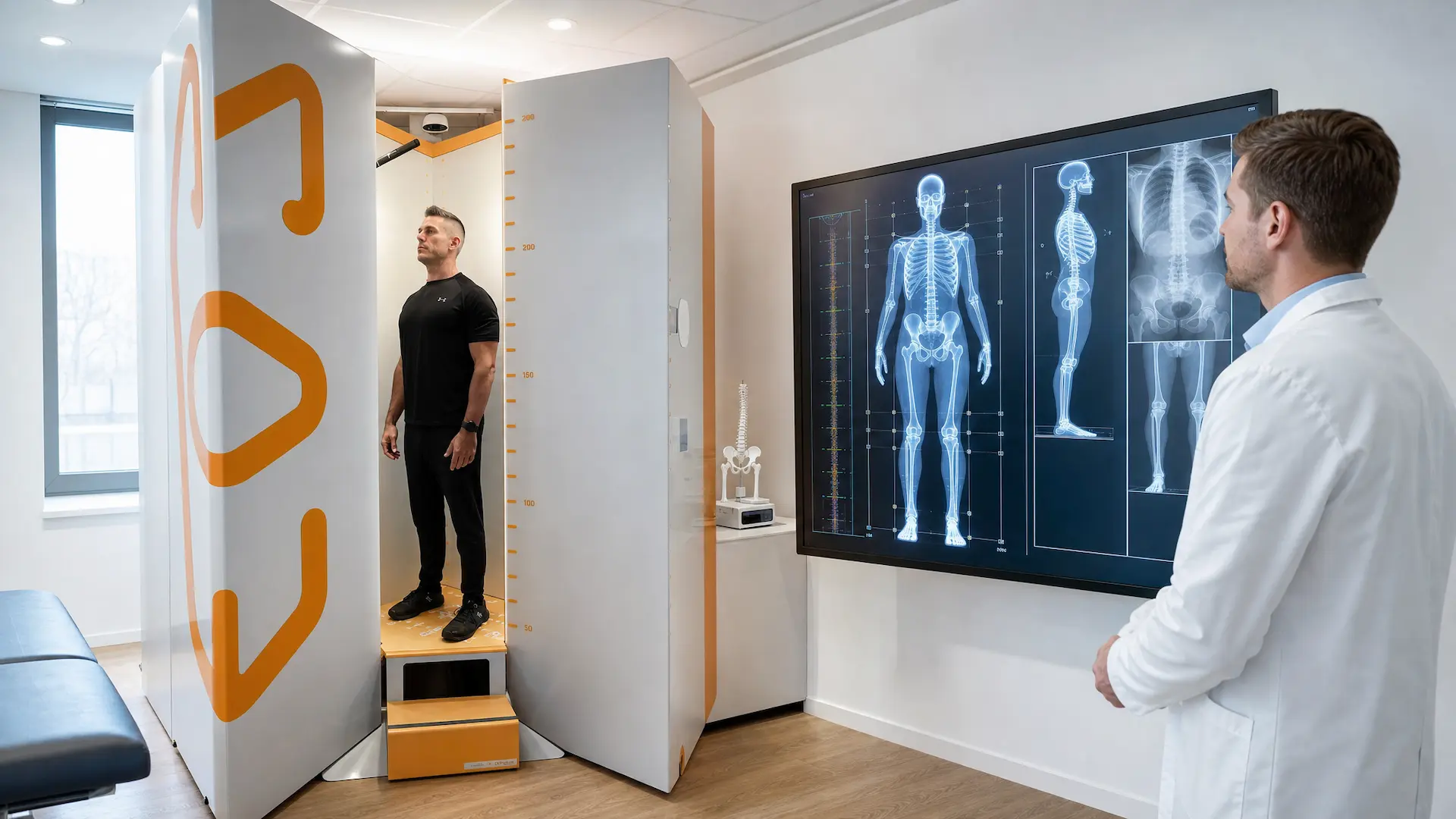
Weight-Bearing vs Traditional Imaging: Why Standing Scans Are Better
How EOS standing scans show real spine, hip, and knee alignment better than lying-down imaging for accurate diagnosis and treatment plans every day today.
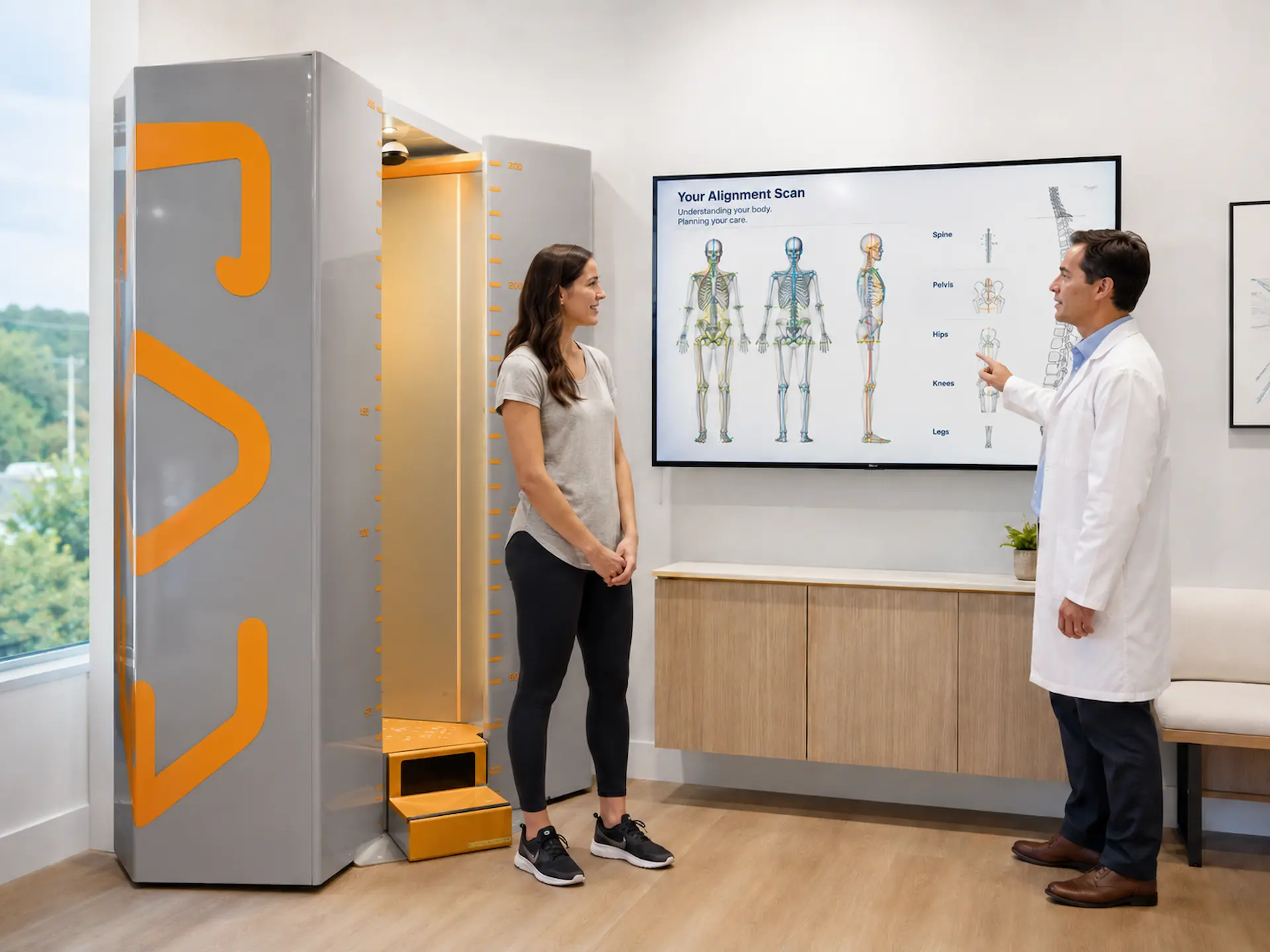
What Does an EOS Scan Report Show? Results Explained Simply
Understand EOS scan results, including posture, spine curves, pelvic tilt, hip and knee alignment, and leg length differences explained in simple terms.
What Is an EOS Scan?
Learn what an EOS full body scan is, how it works, its benefits, safety, and how it helps detect spine, joint, and posture problems with low radiation imaging.